Network Activity Monitoring for GitHub Actions

We're excited to announce a new feature that brings deep visibility into what your CI/CD pipelines are doing behind the scenes.
What's New?
Your GitHub Actions workflows make dozens, sometimes hundreds, of outbound network connections during every run. Package downloads, API calls, artifact uploads, and more. Until now, you had little visibility into exactly which external services your workflows were connecting to.
With Network Activity Monitoring, you can now see every outbound TCP connection your workflows make, including:
- Hostnames being accessed (e.g.,
registry.npmjs.org,api.github.com) - Process names initiating the connections
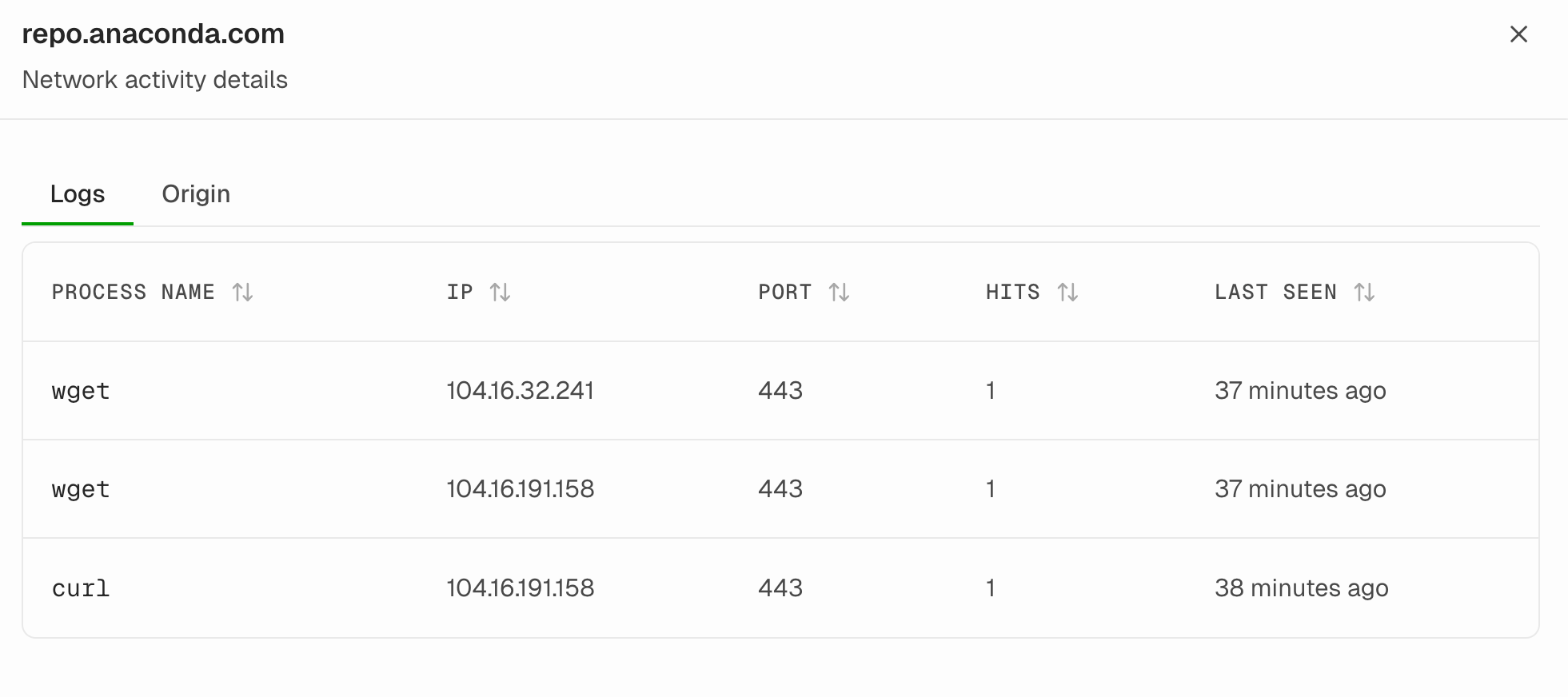
- IP addresses and ports being contacted
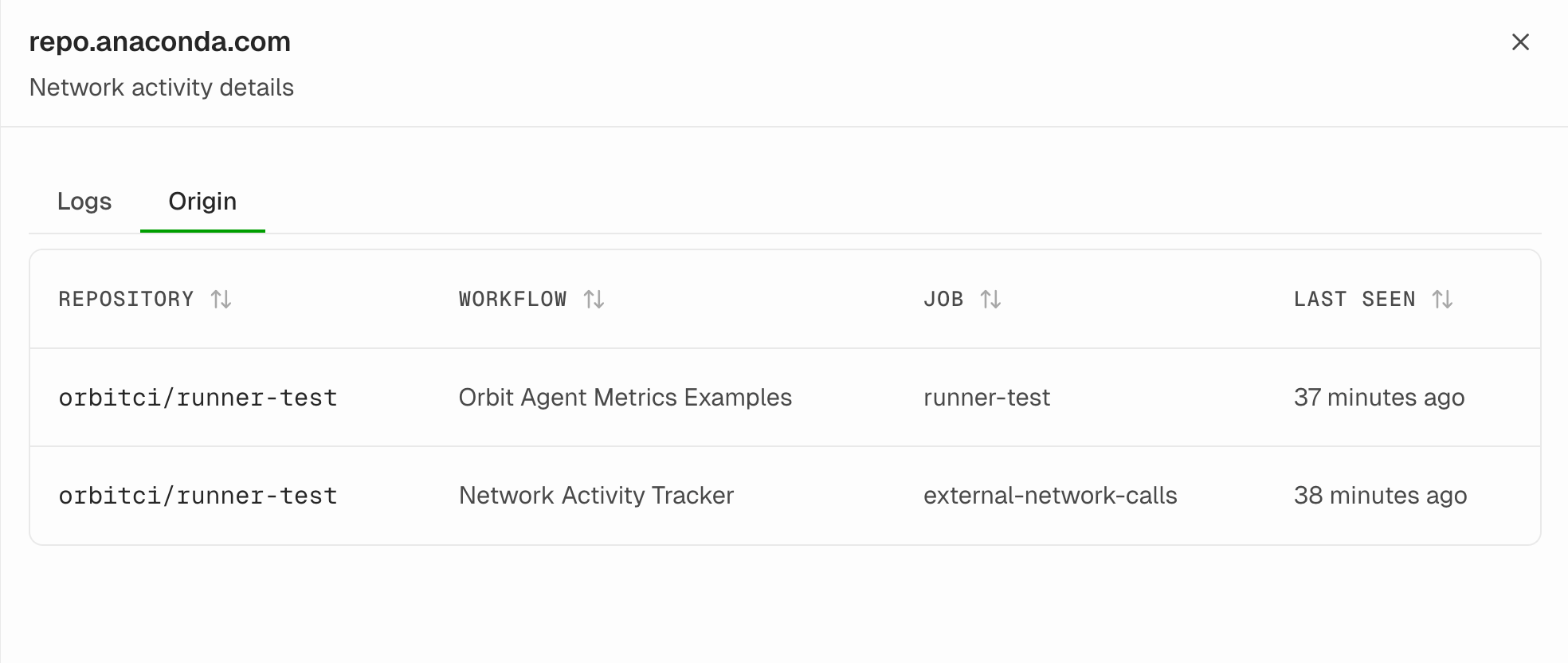
- Which repositories, workflows, and jobs made each connection
- Historical patterns showing when connections were first and last seen
How It Works
The feature is powered by a lightweight agent that uses eBPF to capture network activity at the kernel level, without modifying your workflow code or adding overhead.
The Capture Layer
When your workflow runs, the agent intercepts TCP connection events using kernel probes. It captures both IPv4 and IPv6 connections, and correlates them with DNS queries to provide human-readable hostnames instead of just IP addresses.
The captured data includes:
- The process making the connection (like
node,pip, orcurl) - The destination hostname, IP, and port
- Context about which workflow and job initiated the connection
The Analytics Layer
All captured events flow to a central platform where they're aggregated and stored. The system deduplicates repeated connections and tracks statistics like hit counts and first/last seen timestamps.
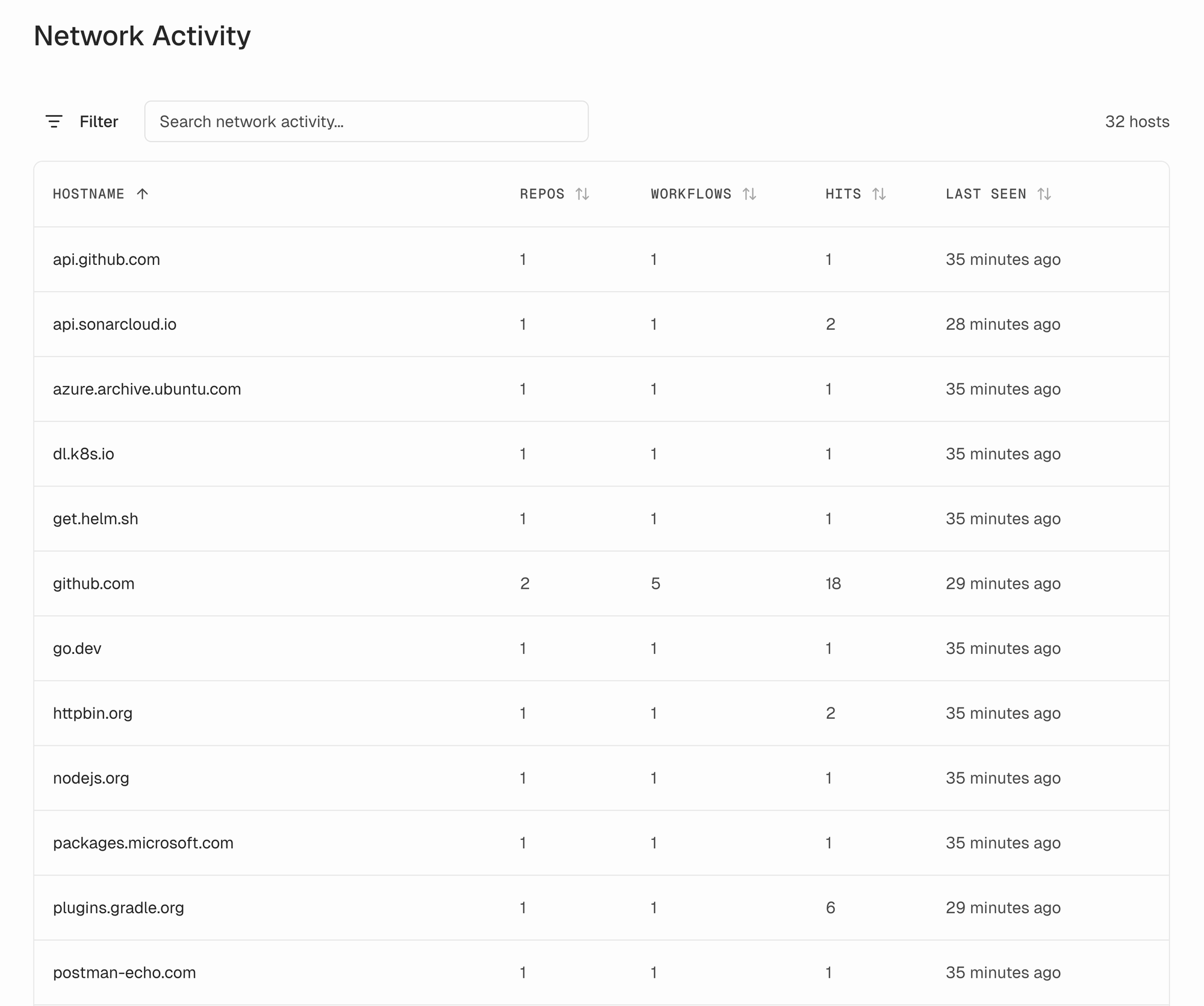
You can then explore this data through a dashboard that lets you:
- Browse all hostnames your workflows have connected to
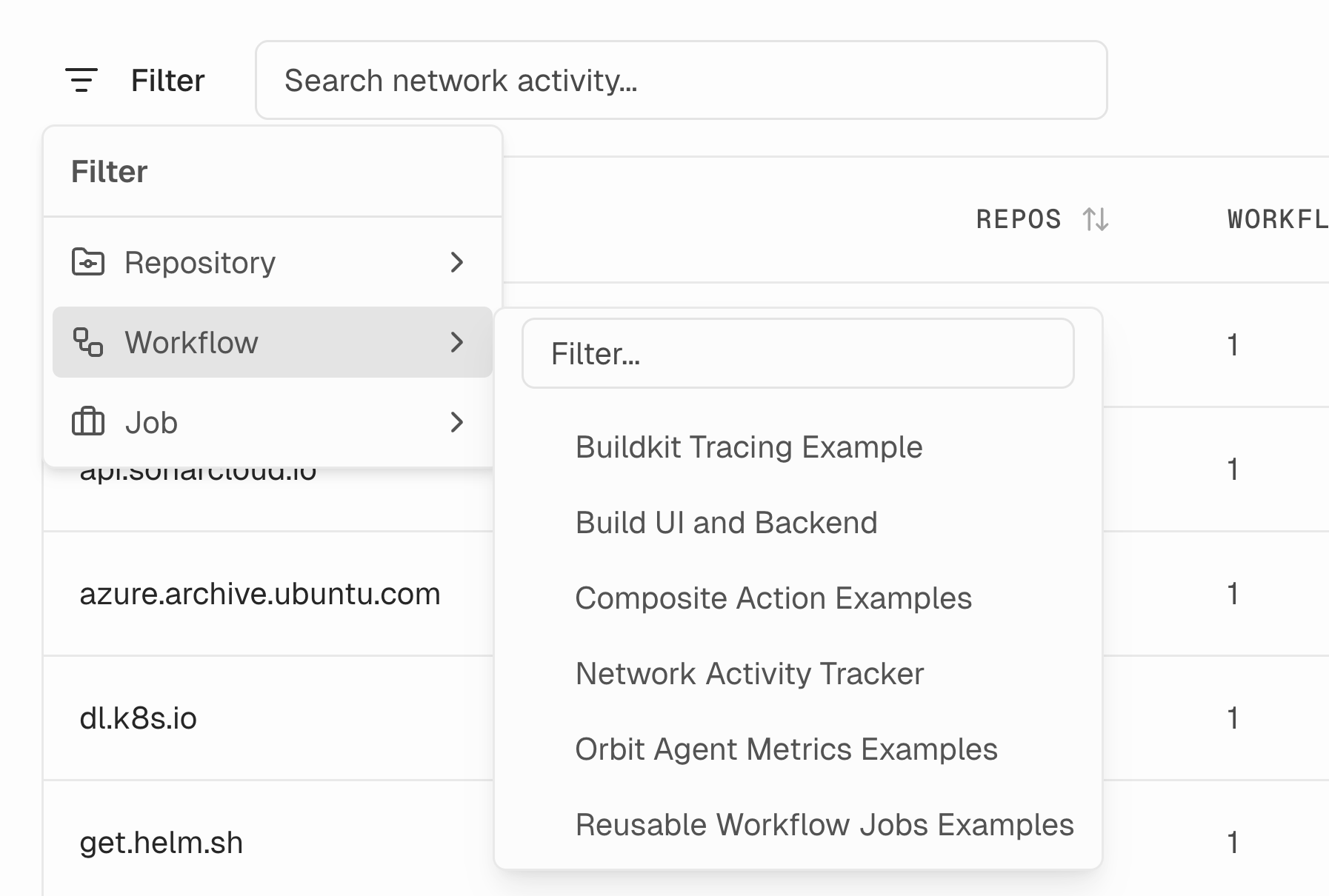
- Filter by repository, workflow, or job name
- Drill down into specific hostnames to see detailed connection logs
- Identify which workflows access which external services
Why Network Activity Monitoring Matters
Supply Chain Security
Modern software development relies heavily on external dependencies. Every npm install, pip install, or go get reaches out to external registries. But what if a compromised package tries to exfiltrate data to an unexpected endpoint? Network monitoring lets you detect anomalous connections that could indicate a supply chain attack.
Compliance and Auditing
Many organizations need to document and control what external services their build processes access. Network activity monitoring provides an audit trail showing exactly which endpoints your CI pipelines communicate with. This is valuable for SOC 2 compliance, security reviews, and incident investigations.
Understanding Your Dependencies
Do you know all the external services your workflows depend on? Beyond the obvious package registries, workflows often make calls to analytics services, license servers, telemetry endpoints, and more. Having visibility into these connections helps you understand your true dependency surface.
Detecting Unexpected Behavior
If a workflow suddenly starts connecting to a new, unfamiliar hostname, you want to know about it. Whether it's a new legitimate dependency or something suspicious, network monitoring surfaces these changes so you can investigate.
Troubleshooting Network Issues
When a workflow fails due to a network timeout or connection error, knowing exactly which connection failed (and to which service) dramatically speeds up debugging. No more guessing which step made the problematic network call.
Key Features
- Real-time capture of all outbound TCP connections during workflow execution
- DNS correlation to show human-readable hostnames alongside IP addresses
- Multi-repository aggregation to see network patterns across your entire organization
- Filtering and search to quickly find connections by repository, workflow, or job
- Historical tracking with first-seen and last-seen timestamps to identify new connections
- Process-level detail showing which binary initiated each connection
Getting Started
Network Activity Monitoring is now available for GitHub Actions workflows. The feature works transparently. Once enabled, it automatically captures network activity from all your workflow runs without requiring any changes to your workflow files.
Visit the Network Activity page in your dashboard to explore what your workflows have been connecting to. You might be surprised by what you find.
Network activity monitoring is part of our ongoing effort to bring better security to CI/CD pipelines. Reach out to us at hello@orbit.ci to gain visibility into what external services your workflows connect to.
No spam, no sharing to third party.