CI Pipeline Diff Tool

Imagine this scenario.
Your org is running a cost-cutting initiative and you have been told to reduce spend on GitHub Actions CI infrastructure, whether it is GitHub-hosted runners or self-hosted runners. You are sure that this cost-cutting will have a negative impact on build performance, which in turn affects developer productivity and delivery speed. But you don't really have the tools or metrics to reliably build a case for or against the cost-cutting initiative.
But now you do.
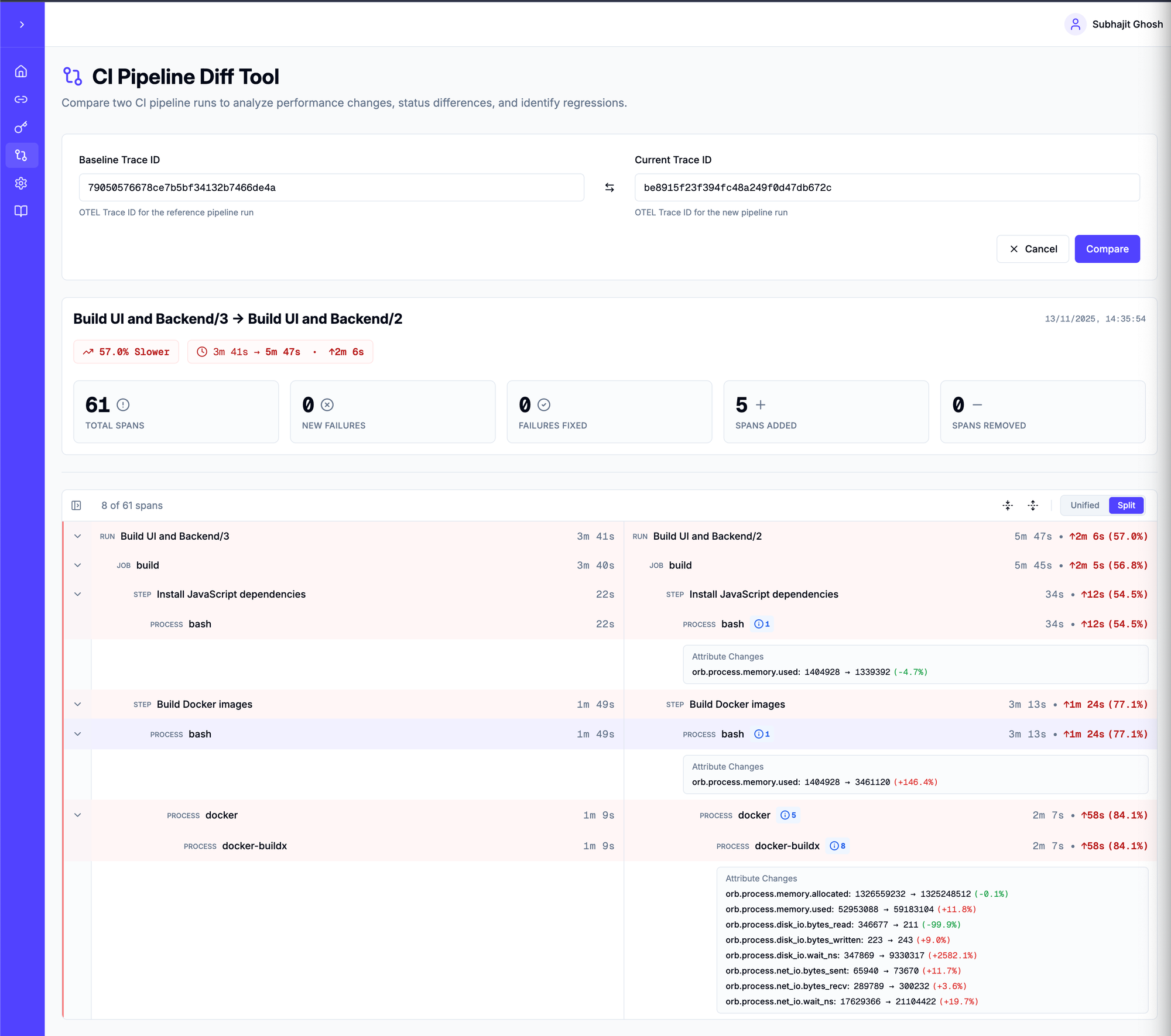
When you use Orbit CI to monitor your CI pipelines, you get detailed insights about performance in the form of an OpenTelemetry trace. We have built a new trace-diff UI tool to compare two CI pipeline traces and tell you exactly what changed and by how much.
This diff tool follows the typical UX of a code review experience, where you can see two traces in a split or unified view and zoom in to a job, a step or a process running on the CI runner.
Below are screenshots from the CI trace diff tool that compares two pipeline runs. The baseline run on the left was run on an 8-core 32 GB machine, and the current run on the right was executed on a 4-core 16 GB machine.
As you can see, the pipeline got slower by 57% on the 4-core machine.
Changes in performance
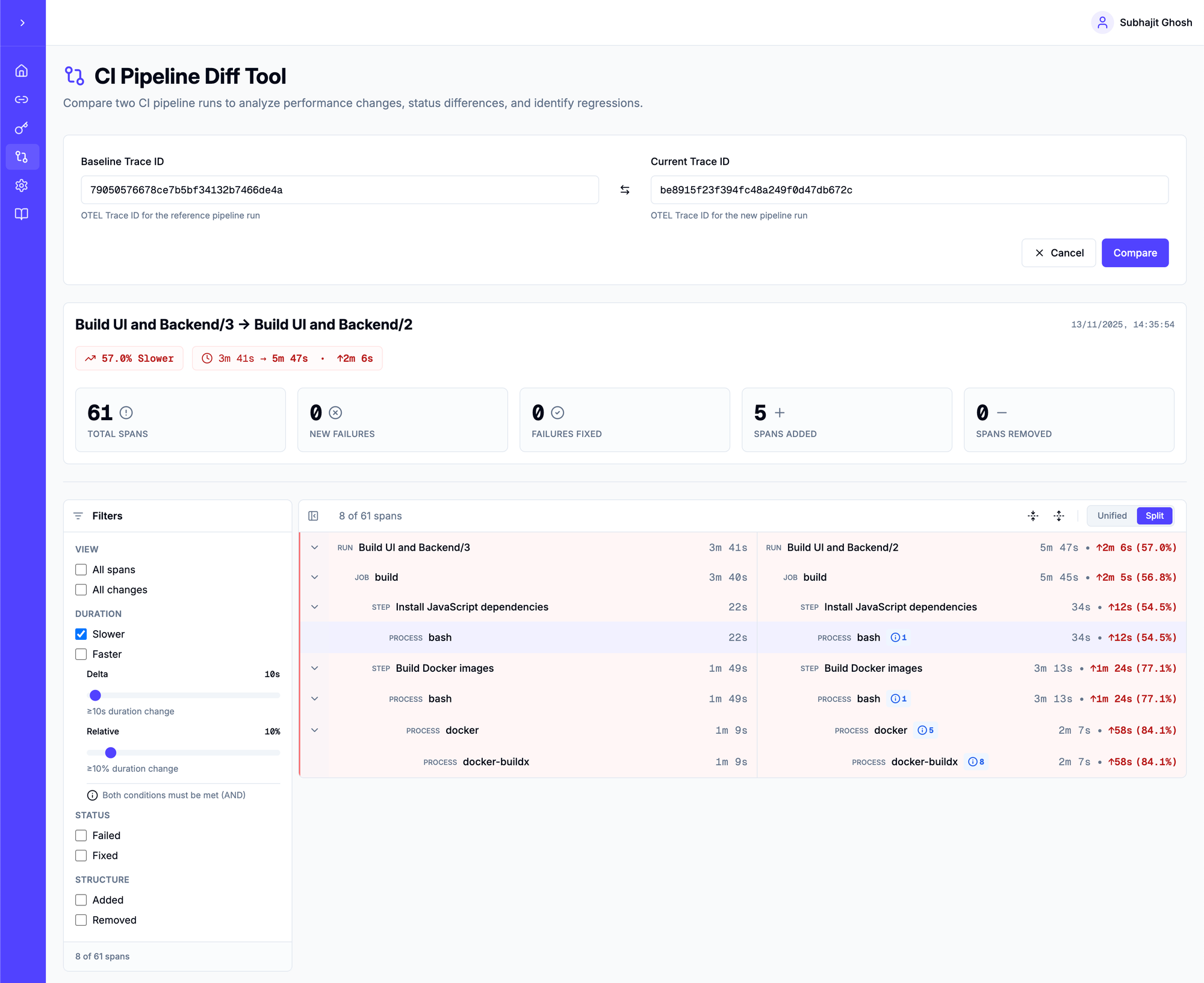
You can use the filter sliders to adjust the performance change delta and the relative change you care about. The delta slider helps filter short-lived spans that can show high relative change. For example, a span going from 1s to 5s results in a 400% increase, but it may not be meaningful to analyse.
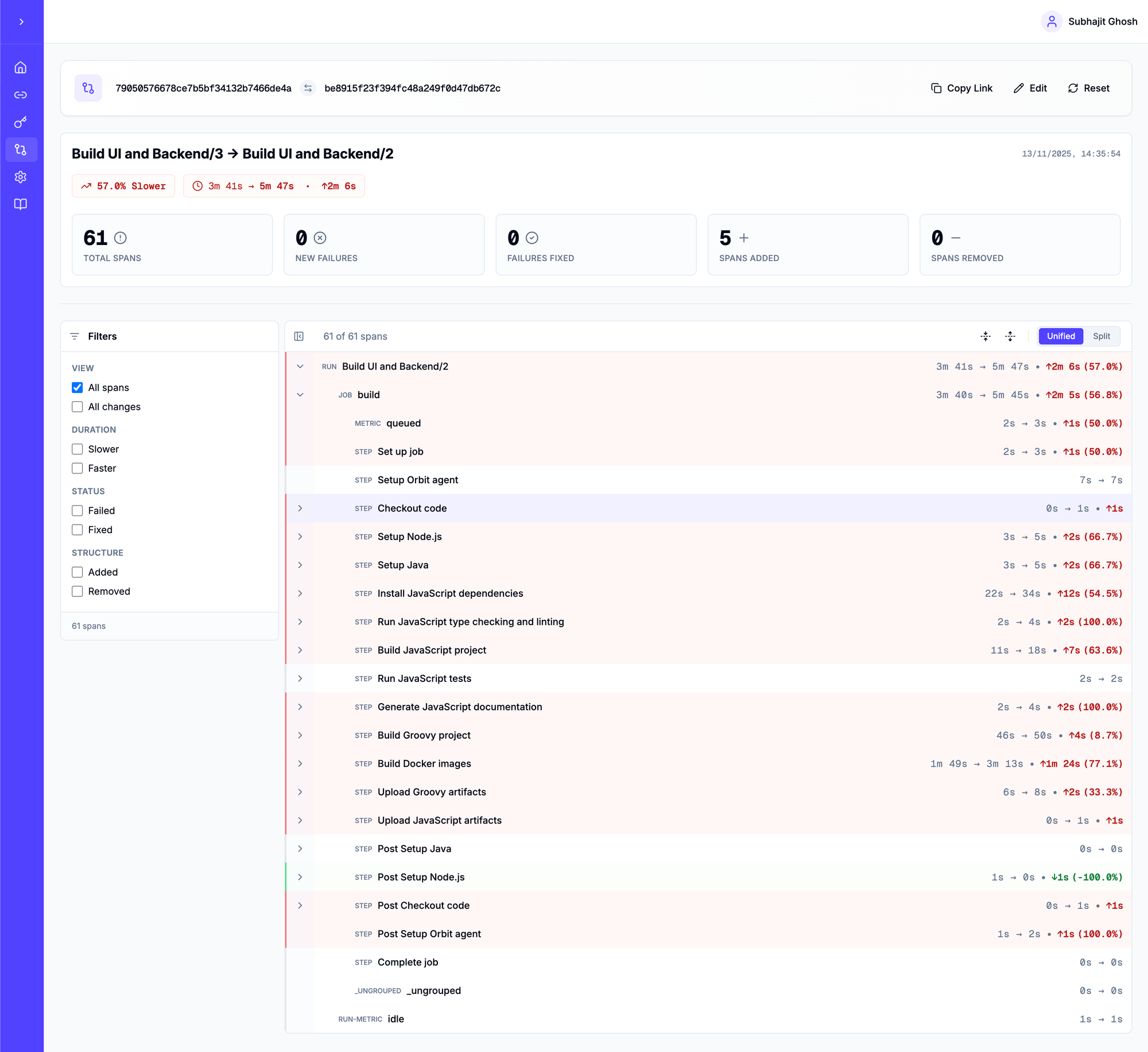
All spans
All changes
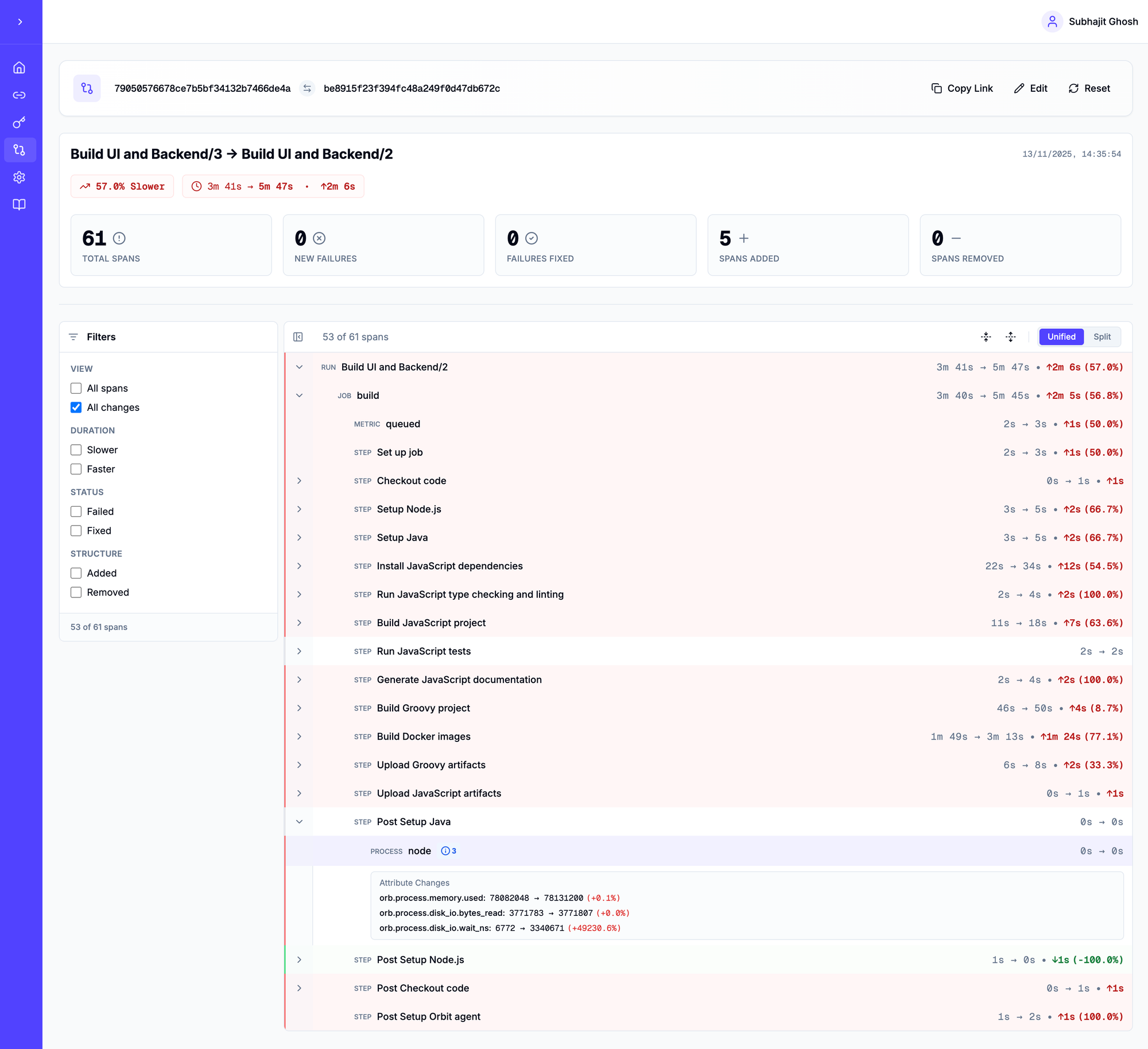
Split vs Unified View
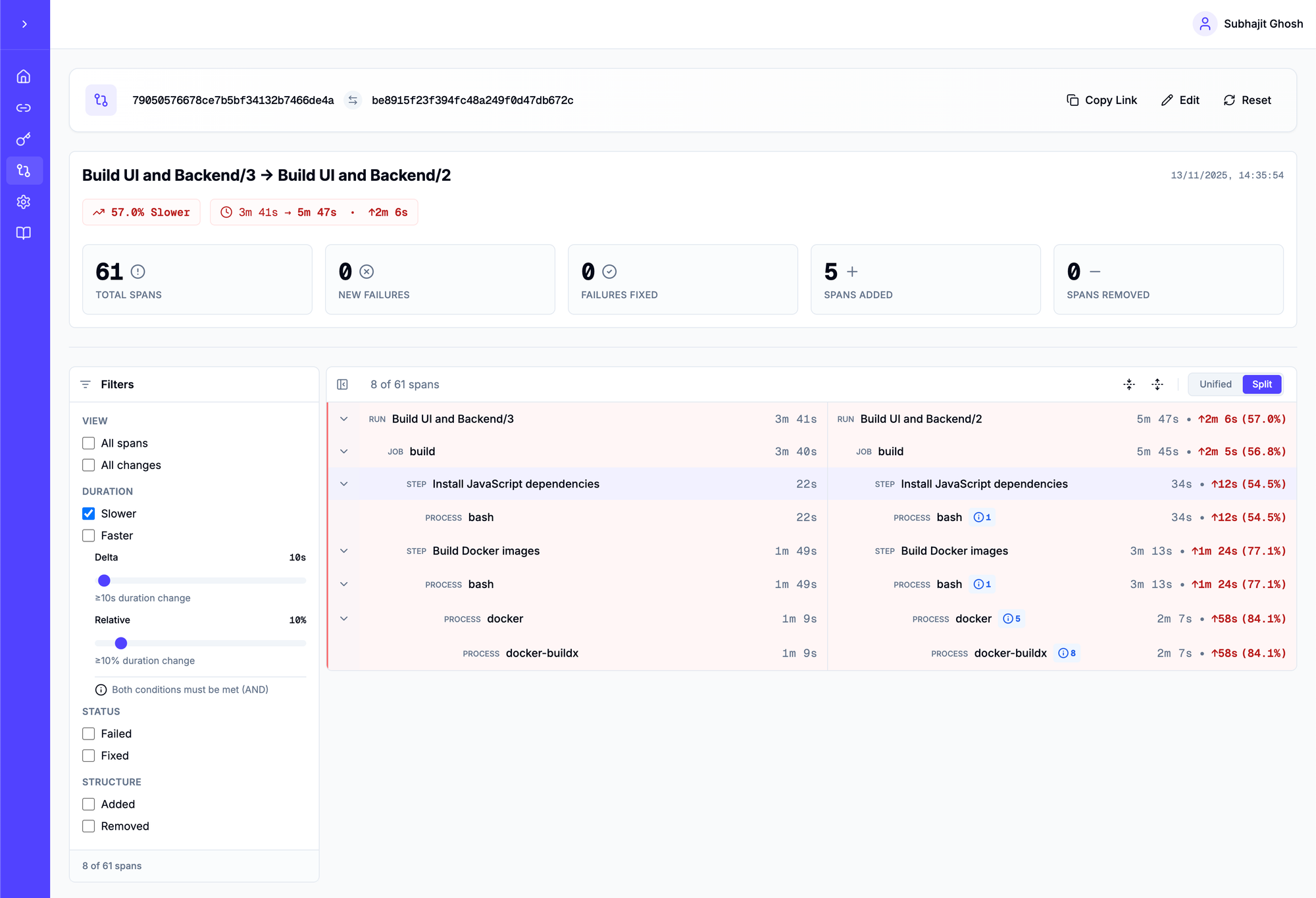
Process Metric Changes
The diff viewer also captures changes in process metrics for a span. Right now these changes are shown as additional metadata, but we will add relevant UI changes to highlight significant changes in these process metrics.
Using this tool, you can now make an informed decision about the impact of pipeline changes on CI performance.
In the example above, you might go back to your boss and show the data to justify keeping your current CI infrastructure spend. Or, for specific steps and processes, you might reduce the performance drop by making changes to the pipeline itself and feel confident that changing the CI runner type will not hurt productivity.
Use Cases
This tool can be very useful in the following scenarios
- Understanding the impact of pipeline code changes on performance.
- Understanding the impact of pipeline infrastructure changes on performance.
- Deciding between GitHub-hosted runners, self-hosted runners or third-party runners
- Assessing the impact of caching
- Understanding variability of pipeline performance on the same runner infrastructure.
If you are looking to optimise your CI infrastructure or reduce CI infrastructure costs, please reach out to hello@orbit.ci and we can help you make this transition reliably based on real metrics.
No spam, no sharing to third party.